> ## Documentation Index
> Fetch the complete documentation index at: https://docs.stablepayfi.ai/llms.txt
> Use this file to discover all available pages before exploring further.

# 收银台展示与 Logo 规范

> 展示 StablePay 和稳定币支付方式的通用规范。

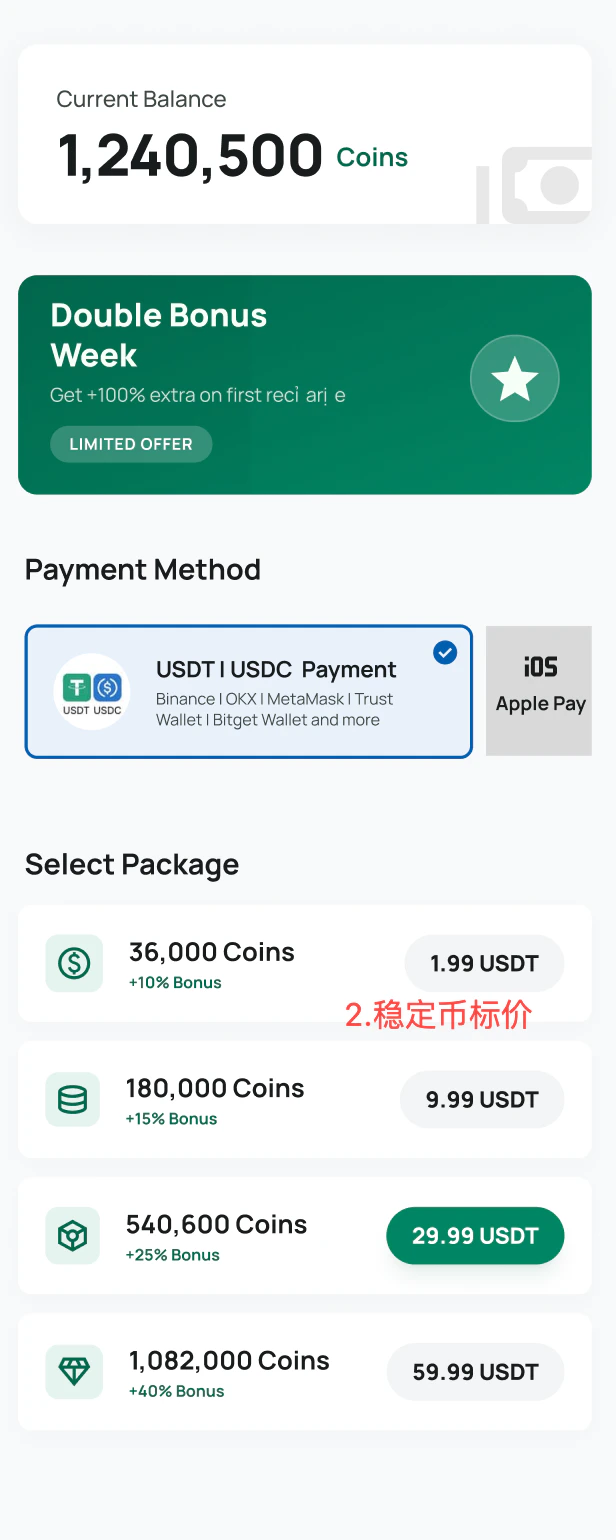
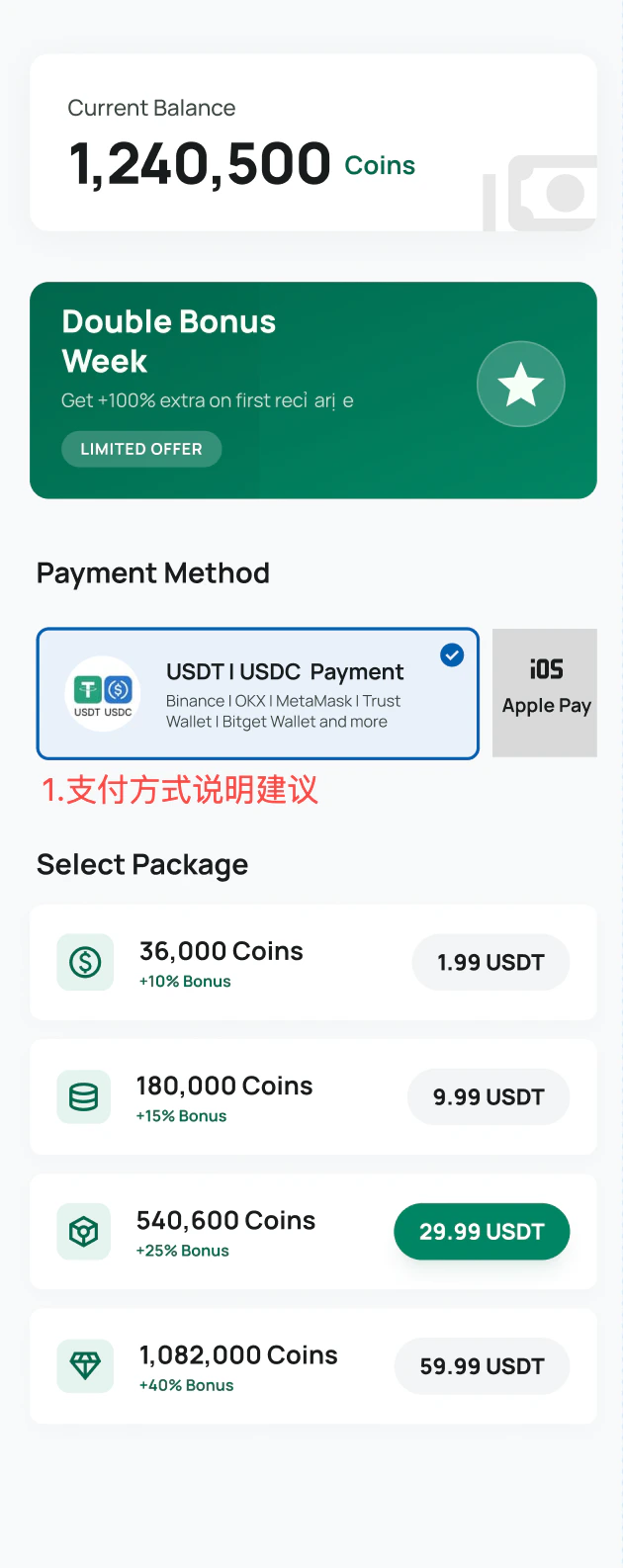
当你在自有收银台、支付方式列表、SaaS 店铺或付款选择页面中展示 StablePay 时，请参考本页。目标是让客户明确知道：他们可以使用 USDT 或 USDC，并通过熟悉的钱包完成付款。

多数场景下，应优先展示稳定币支付方式，再展示 StablePay 作为服务提供方。客户通常比支付基础设施品牌更熟悉 USDT、USDC 和钱包名称。

## 推荐支付方式名称

```text theme={"system"}
USDT | USDC Stablecoin Payment
```

推荐辅助说明：

```text theme={"system"}
Binance | OKX | MetaMask | Trust Wallet | Bitget Wallet and more
```

## 推荐展示示例
<Columns cols={2}>
  <Column>
    <Frame>
      <img src="https://mintcdn.com/stablepay-a1f5fa99/iiUfFDz5muXhW7R0/images/Checkout-Display-Guide--StablePay-Logo/image-6.png?fit=max&auto=format&n=iiUfFDz5muXhW7R0&q=85&s=aed0eb2ce0ee7082c807e6d26d1001b8" alt="推荐稳定币支付展示" width="630" height="1586" data-path="images/Checkout-Display-Guide--StablePay-Logo/image-6.png" />
    </Frame>
  </Column>

  <Column>
    <Frame>
      <img src="https://mintcdn.com/stablepay-a1f5fa99/iiUfFDz5muXhW7R0/images/Checkout-Display-Guide--StablePay-Logo/image-7.png?fit=max&auto=format&n=iiUfFDz5muXhW7R0&q=85&s=68af5f516ce0e271b4379dcb03953257" alt="推荐钱包展示" width="616" height="1540" data-path="images/Checkout-Display-Guide--StablePay-Logo/image-7.png" />
    </Frame>
  </Column>
</Columns>

## 最佳实践

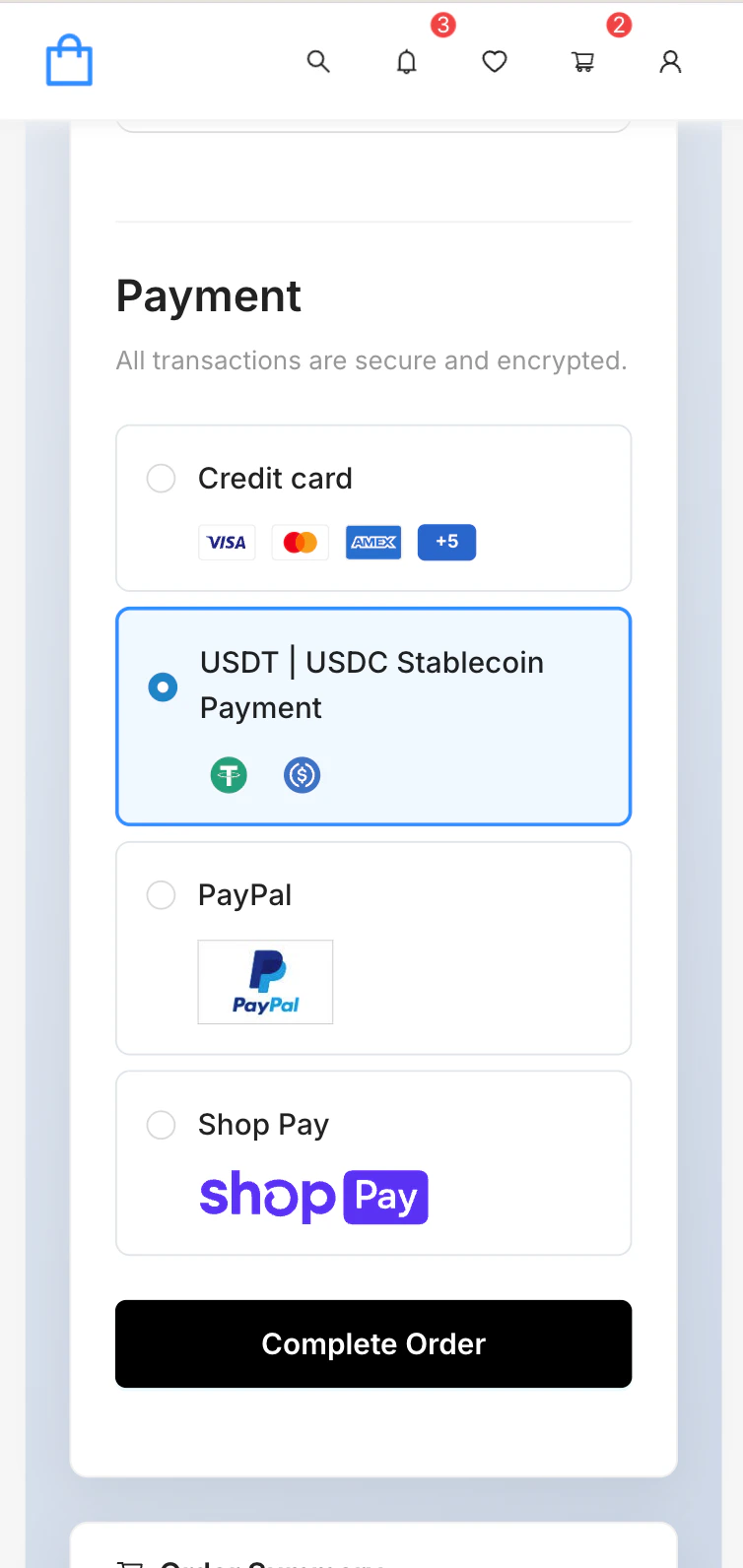
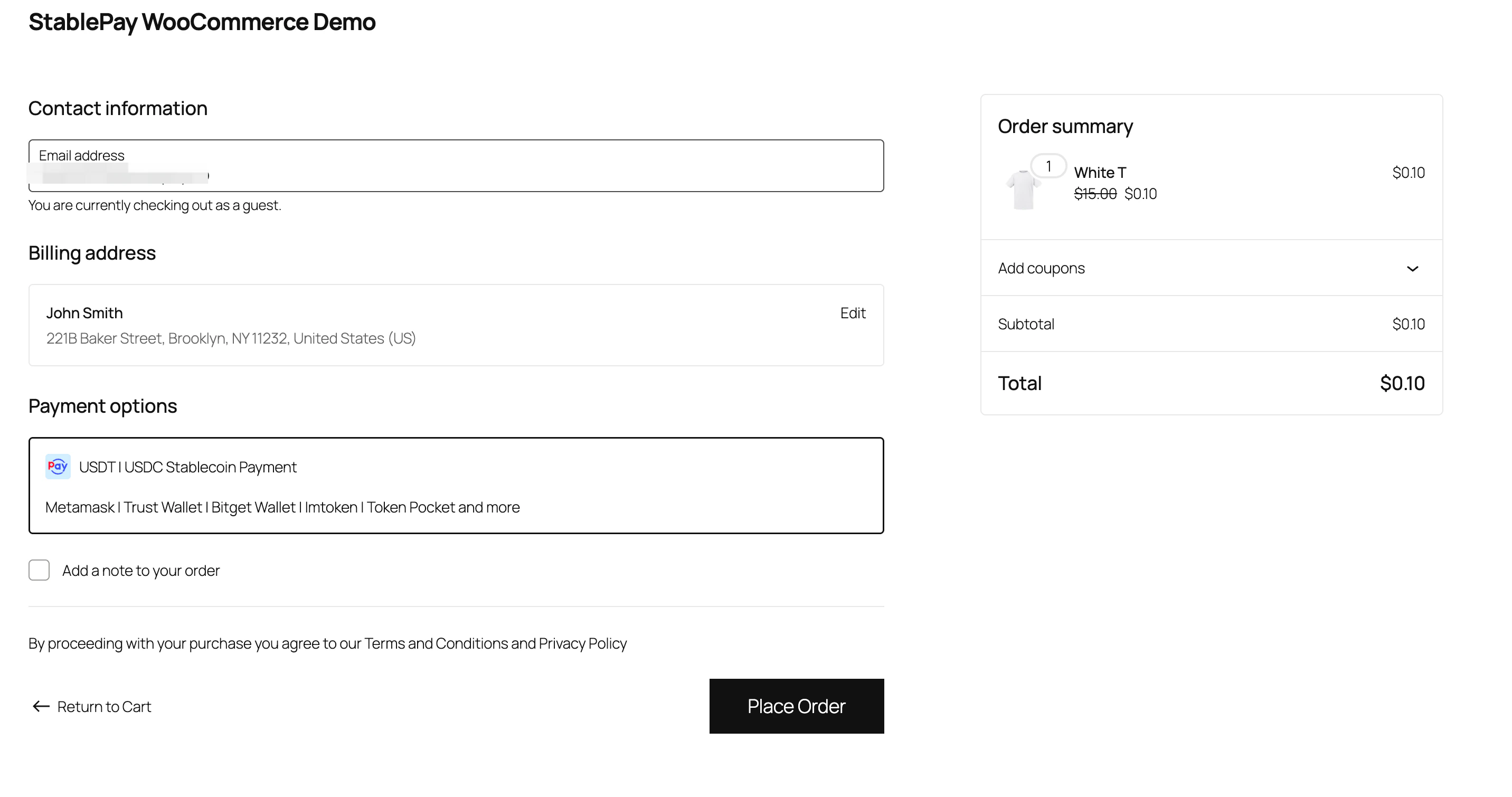
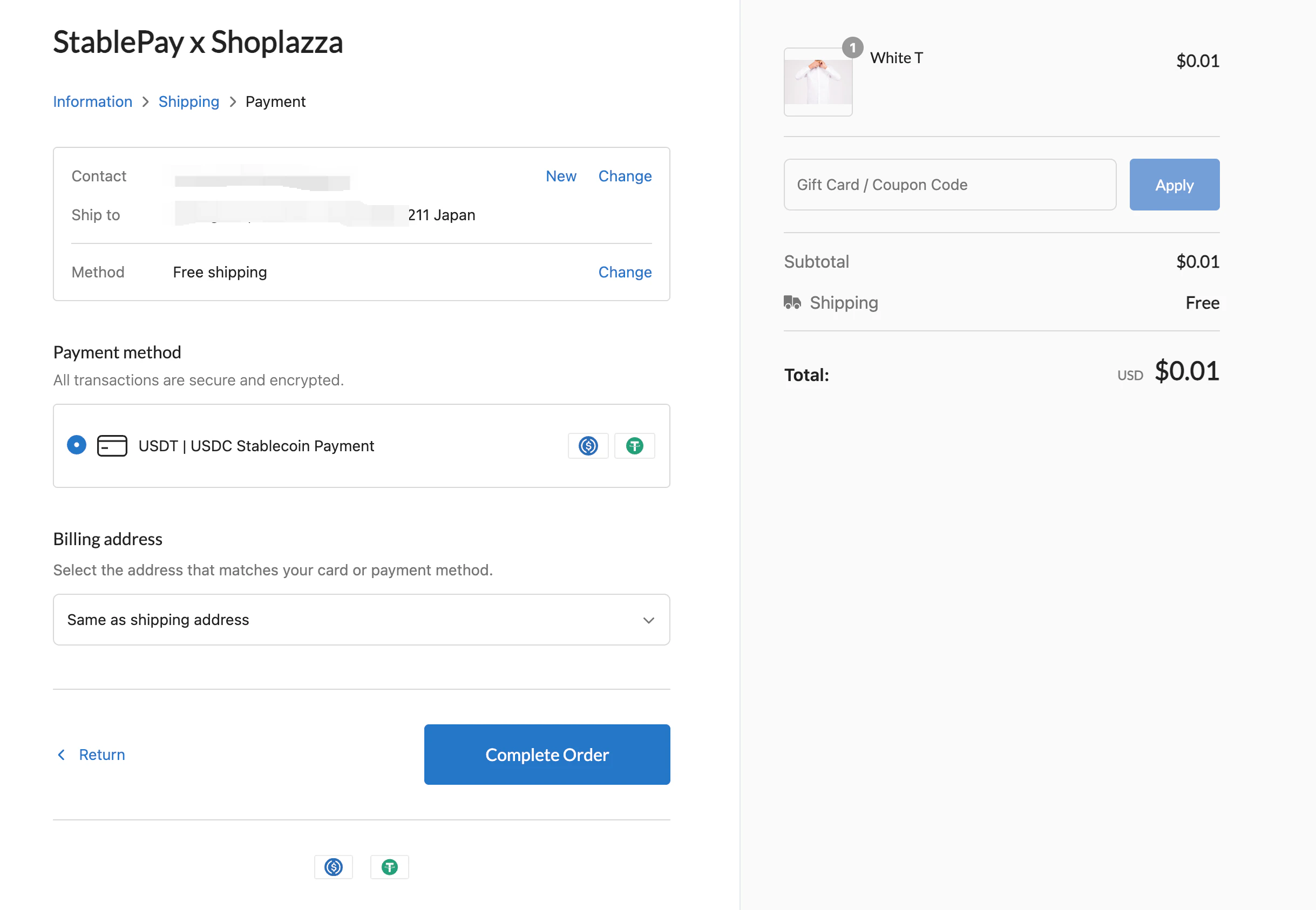
* 在支付方式名称中明确展示 `USDT` 和 `USDC`。
* 空间允许时，补充常见钱包名称。
* 使用稳定币和钱包图标降低用户理解成本。
* 展示 StablePay 品牌时，可使用 `Powered by StablePay`。
* 如果用户还不熟悉 StablePay，不建议只展示 `StablePay` 作为支付方式名称。

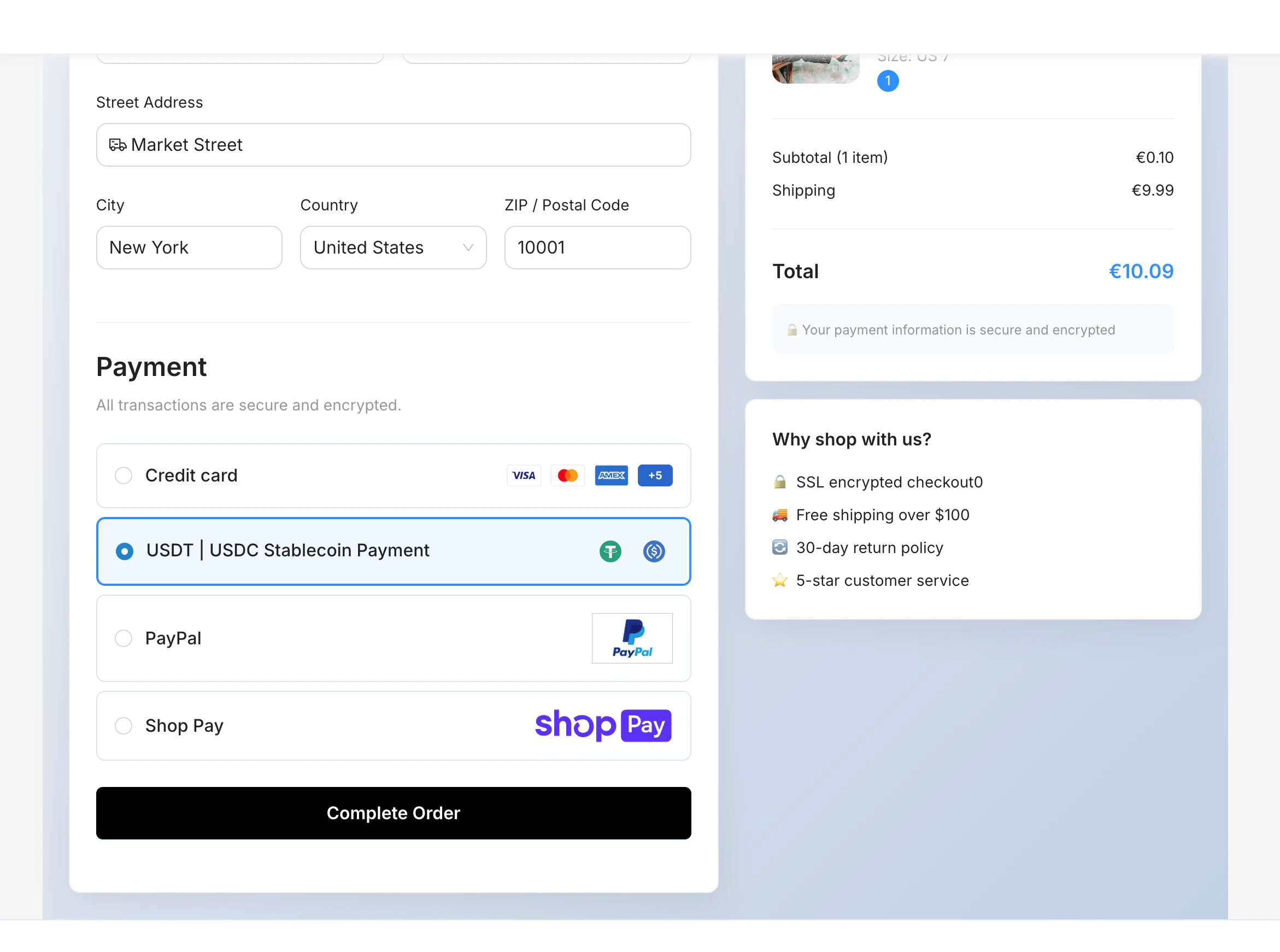
## API checkout 示例

对于自建电商网站、App 或游戏充值页，可将稳定币支付与 Credit Card、PayPal、Bank Transfer 等支付方式并列展示。
<Frame>
  <img src="https://mintcdn.com/stablepay-a1f5fa99/iiUfFDz5muXhW7R0/images/Checkout-Display-Guide--StablePay-Logo/api-pc-example.png?fit=max&auto=format&n=iiUfFDz5muXhW7R0&q=85&s=0a2f1d315dad3e3bb241d826b1a5e5c1" alt="API 桌面端收银台示例" width="2342" height="1742" data-path="images/Checkout-Display-Guide--StablePay-Logo/api-pc-example.png" />
</Frame>

<Frame>
  <img src="https://mintcdn.com/stablepay-a1f5fa99/iiUfFDz5muXhW7R0/images/Checkout-Display-Guide--StablePay-Logo/api-mobile-example.png?fit=max&auto=format&n=iiUfFDz5muXhW7R0&q=85&s=8232266fdc6542a378e3a8477a13e7ab" alt="API 移动端收银台示例" width="754" height="1592" data-path="images/Checkout-Display-Guide--StablePay-Logo/api-mobile-example.png" />
</Frame>

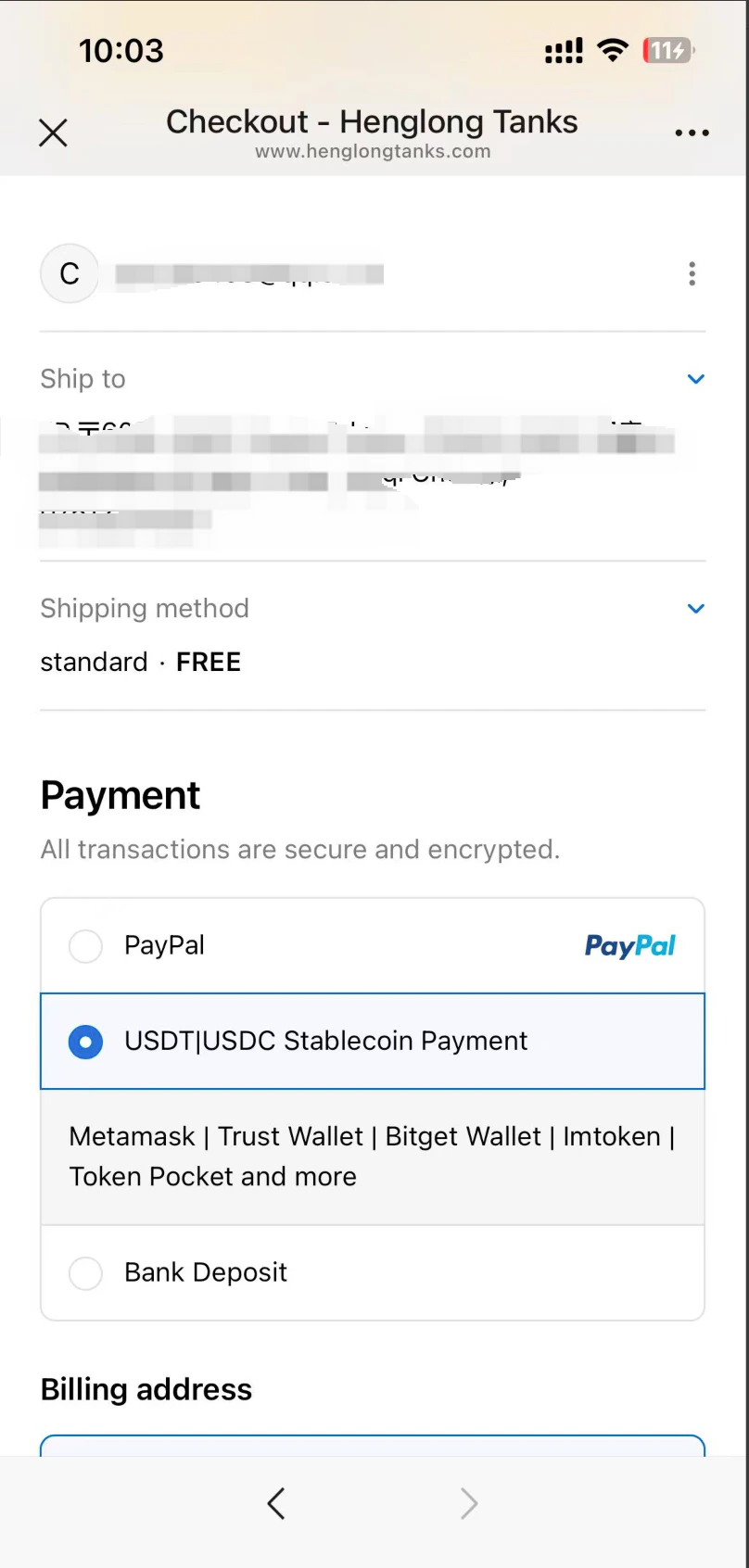
## SaaS 平台示例

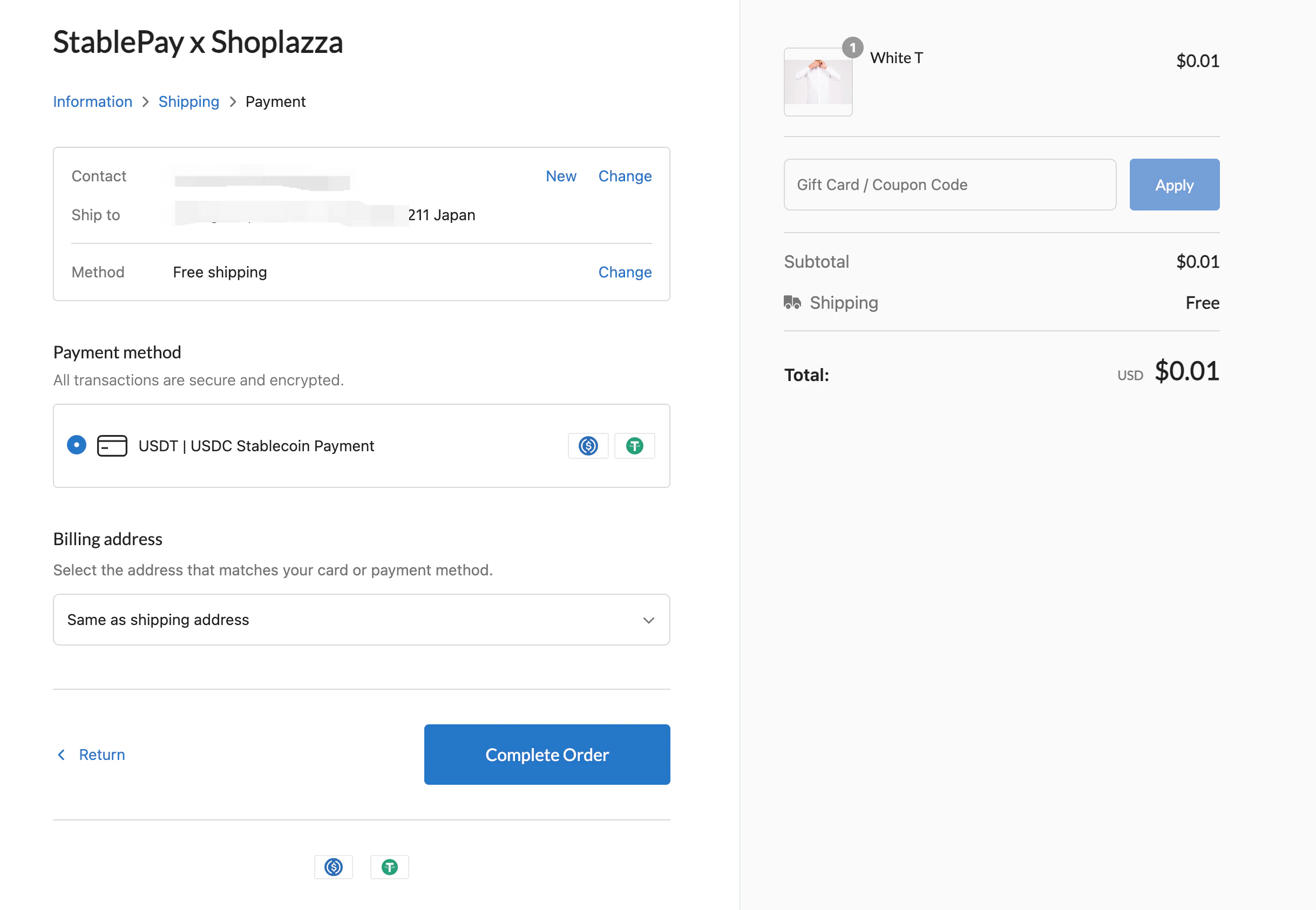
StablePay 也可以展示在 SaaS 店铺和电商平台中。
<Columns cols={2}>
  <Column>
    <Frame>
      <img src="https://mintcdn.com/stablepay-a1f5fa99/iiUfFDz5muXhW7R0/images/Checkout-Display-Guide--StablePay-Logo/shopify-example.png?fit=max&auto=format&n=iiUfFDz5muXhW7R0&q=85&s=38cf1359b922351490bd4b182ae0be26" alt="Shopify 示例" width="808" height="1692" data-path="images/Checkout-Display-Guide--StablePay-Logo/shopify-example.png" />
    </Frame>
  </Column>

  <Column>
    <Frame>
      <img src="https://mintcdn.com/stablepay-a1f5fa99/iiUfFDz5muXhW7R0/images/Checkout-Display-Guide--StablePay-Logo/woocommerce-example.png?fit=max&auto=format&n=iiUfFDz5muXhW7R0&q=85&s=bec4a2d34815e59d3edd389628ccdd64" alt="WooCommerce 示例" width="2864" height="1510" data-path="images/Checkout-Display-Guide--StablePay-Logo/woocommerce-example.png" />
    </Frame>
  </Column>
</Columns>

<Columns cols={2}>
  <Column>
    <Frame>
      <img src="https://mintcdn.com/stablepay-a1f5fa99/iiUfFDz5muXhW7R0/images/Checkout-Display-Guide--StablePay-Logo/shoplazza-example.png?fit=max&auto=format&n=iiUfFDz5muXhW7R0&q=85&s=e286ef6017b9d7bb5285efd088f98070" alt="Shoplazza 示例" width="2438" height="1686" data-path="images/Checkout-Display-Guide--StablePay-Logo/shoplazza-example.png" />
    </Frame>
  </Column>

  <Column>
    <Frame>
      <img src="https://mintcdn.com/stablepay-a1f5fa99/iiUfFDz5muXhW7R0/images/Checkout-Display-Guide--StablePay-Logo/shoplazza-example-1.png?fit=max&auto=format&n=iiUfFDz5muXhW7R0&q=85&s=ca45533befcf118fc796b91201ec9291" alt="SHOPYY 示例" width="2438" height="1686" data-path="images/Checkout-Display-Guide--StablePay-Logo/shoplazza-example-1.png" />
    </Frame>
  </Column>
</Columns>

## Logo 资源

当你需要展示服务提供方信息时，可以使用 StablePay logo，例如 `Powered by StablePay`。

<Columns cols={2}>
  <Column>
    <Frame>
      <img src="https://mintcdn.com/stablepay-a1f5fa99/iiUfFDz5muXhW7R0/images/Checkout-Display-Guide--StablePay-Logo/stablepay-logo.png?fit=max&auto=format&n=iiUfFDz5muXhW7R0&q=85&s=24bbb39c56ae06f197f7e8a3d3482615" alt="StablePay logo" width="4665" height="1390" data-path="images/Checkout-Display-Guide--StablePay-Logo/stablepay-logo.png" />
    </Frame>
  </Column>

  <Column>
    <Frame>
      <img src="https://mintcdn.com/stablepay-a1f5fa99/iiUfFDz5muXhW7R0/images/Checkout-Display-Guide--StablePay-Logo/stablepay-icon.png?fit=max&auto=format&n=iiUfFDz5muXhW7R0&q=85&s=9d6e660db589861fea3e4f524bc389b3" alt="StablePay icon" width="1200" height="1200" data-path="images/Checkout-Display-Guide--StablePay-Logo/stablepay-icon.png" />
    </Frame>
  </Column>
</Columns>

* [StablePay 支付方式 Logo 资源包](https://stablepay-docs.oss-cn-hongkong.aliyuncs.com/stablepay-payment-logo.zip)
* [StablePay Logo 资源包](https://stablepay-docs.oss-cn-hongkong.aliyuncs.com/stablepay-logo.zip)
* [USDC Logo 下载](https://stablepay-docs.oss-cn-hongkong.aliyuncs.com/usdc-logo.zip)
* [USDT Logo 下载](https://stablepay-docs.oss-cn-hongkong.aliyuncs.com/usdt-logo.zip)
* [MetaMask Logo 下载](https://stablepay-docs.oss-cn-hongkong.aliyuncs.com/metamask-logo.zip)
* [Trust Wallet Logo 下载](https://stablepay-docs.oss-cn-hongkong.aliyuncs.com/trust-wallet-logo.zip)

## 相关页面

* [Supported Wallets](/zh/product/Supported-Wallets)
* [Stablecoin Checkout](/zh/product/Stablecoin-Checkout)
* [Payment Links](/zh/product/Payment-Links)